Web UI
SPECA is CLI-first, but ships with speca-web so you can drive the
pipeline from a browser. The positioning is strictly CLI Client —
the same operations you would run via scripts/run_phase.py or
speca-cli (issue #3),
surfaced as web pages.
What you can do
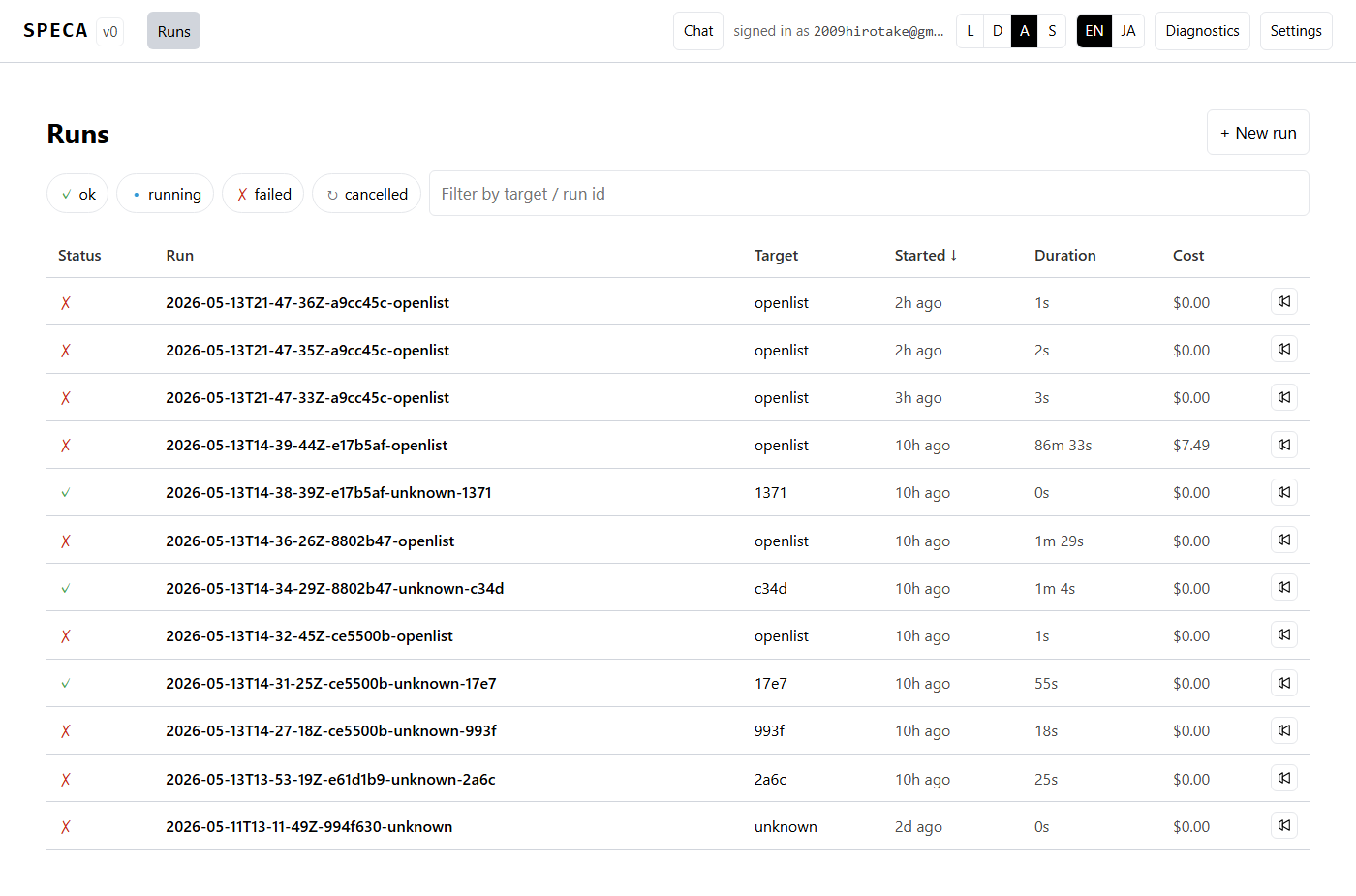
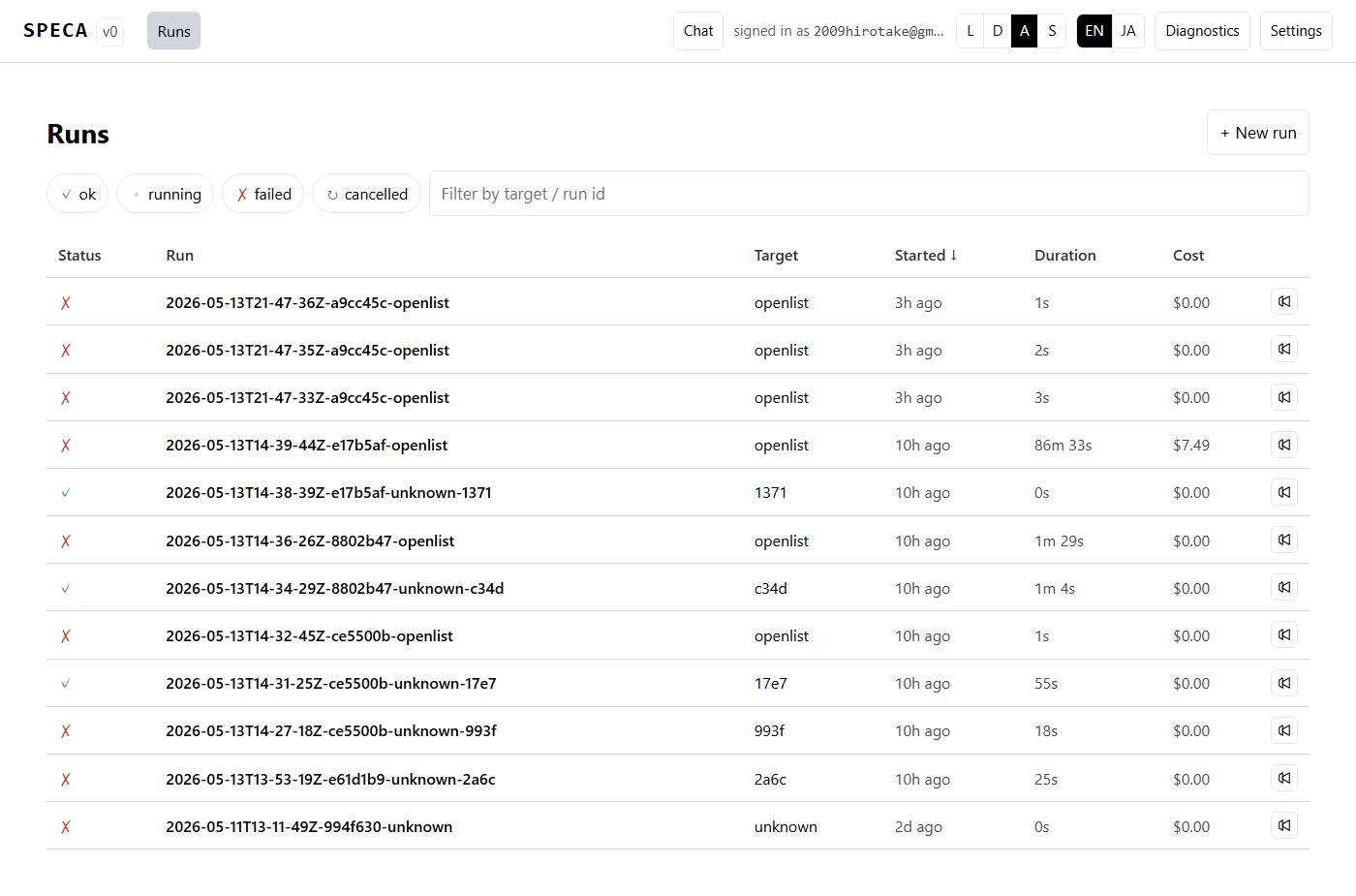
- Browse past audit runs and inspect their detail
- Watch phase progress live over WebSocket
- Filter / sort / Markdown-export findings
- Kick off a new audit from the picker or guided wizard
- Chat with Claude / Codex / Gemini / Ollama / Copilot from the right-rail panel (switchable in Settings)
- Switch runtime / theme (light/dark/system/solarized) / language (EN/JA) from Settings
For the full feature list see Web UI features; for runtime switching see Multi-runtime backends.
Launching
uv run speca-web --port 7411 --host 127.0.0.1 --serve-frontend
Open http://127.0.0.1:7411/. If claude auth status reports
logged_in=true, you land directly on the dashboard; otherwise the
login screen offers a paste-code OAuth flow and an API-key form:
Localhost only by default
The server binds 127.0.0.1 by default. To expose it on a LAN, pass
--host 0.0.0.0 explicitly — and only in environments where firewall /
NAT protection is in place.
Run detail — phase progress + budget gauge
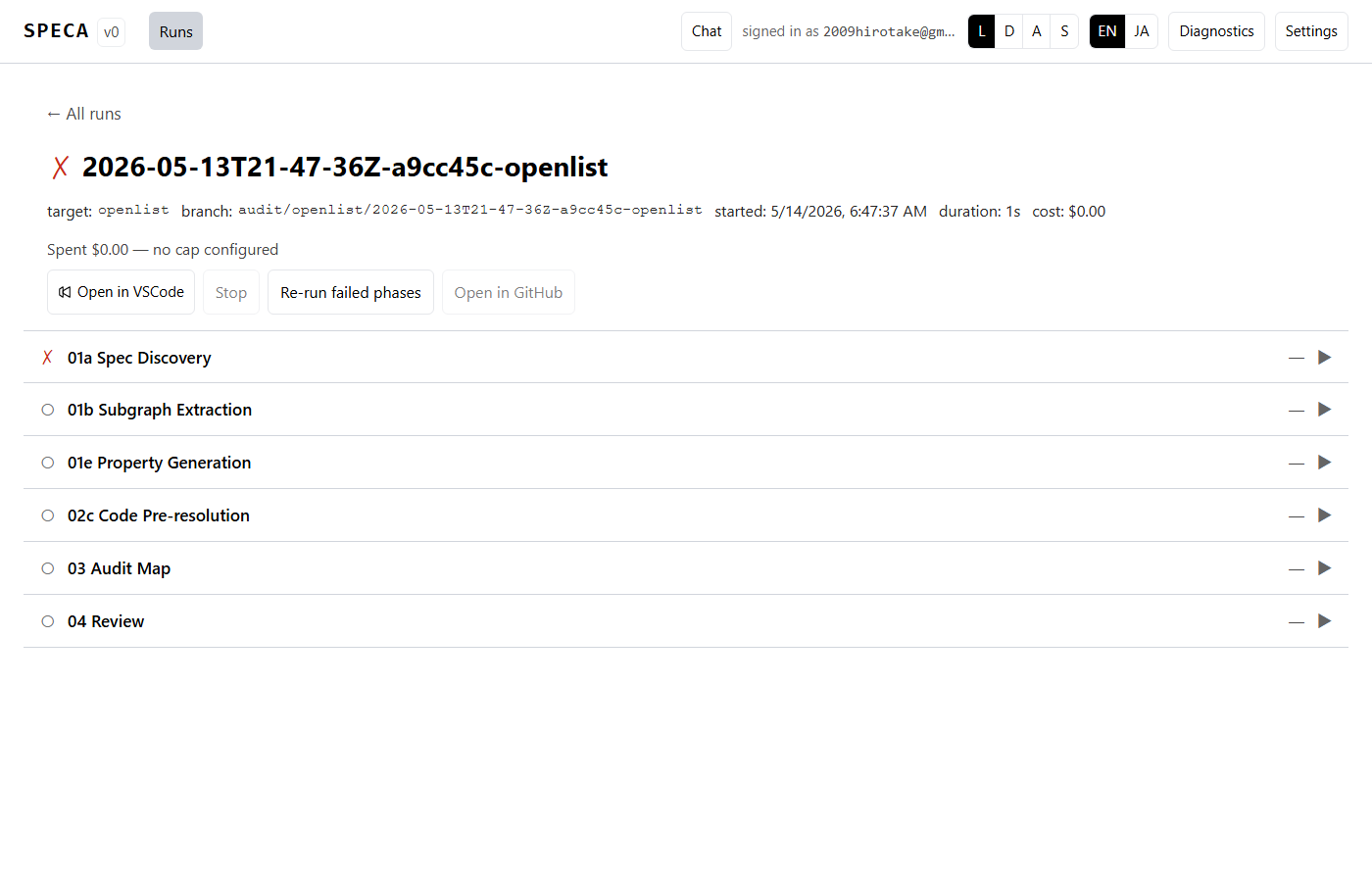
Phase rows are collapsible. With one focused, l scrolls the log
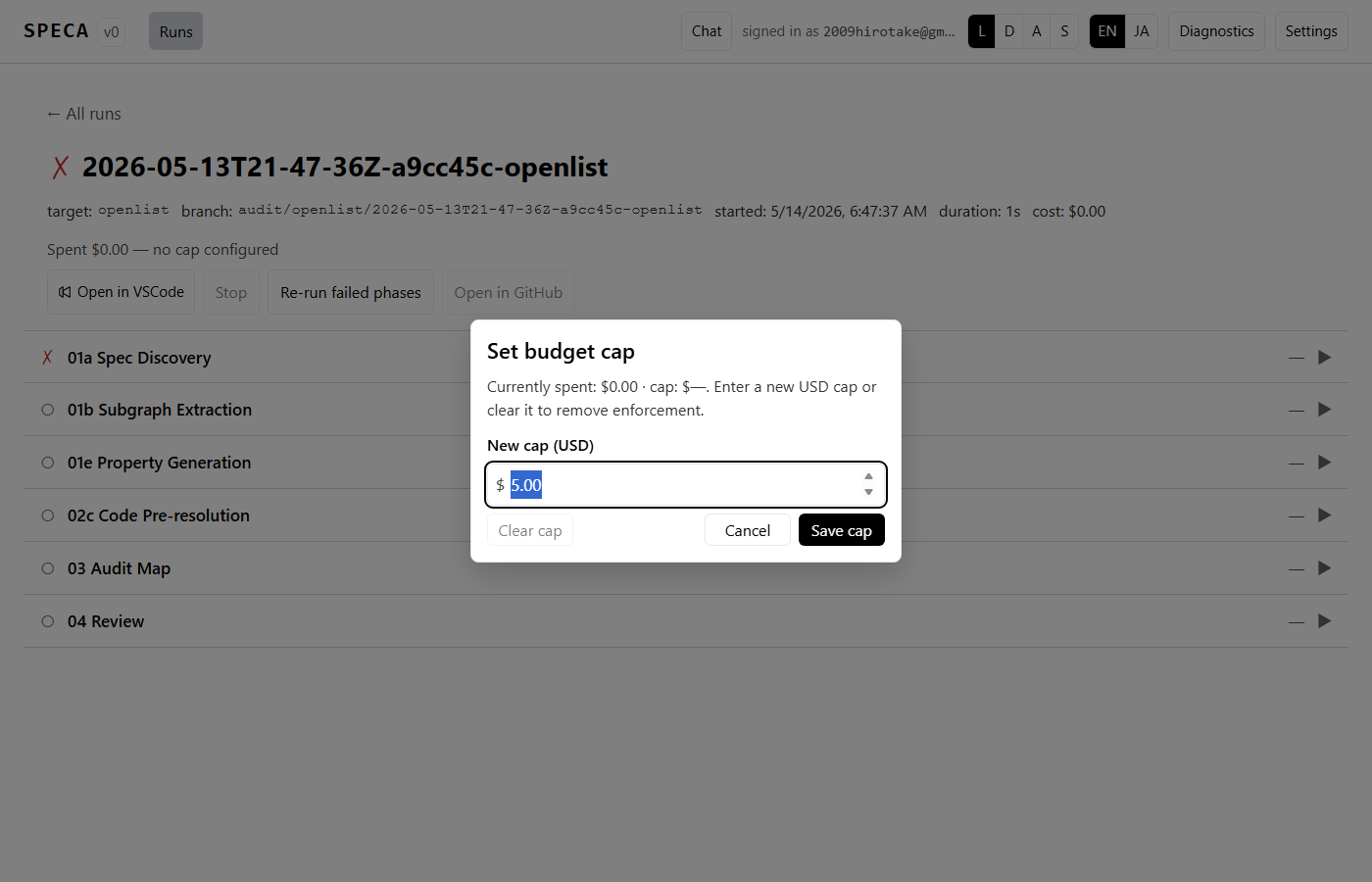
pane into view and f force re-runs just that phase. Clicking the
budget gauge opens a cap-bump modal that raises / clears
max_budget_usd:
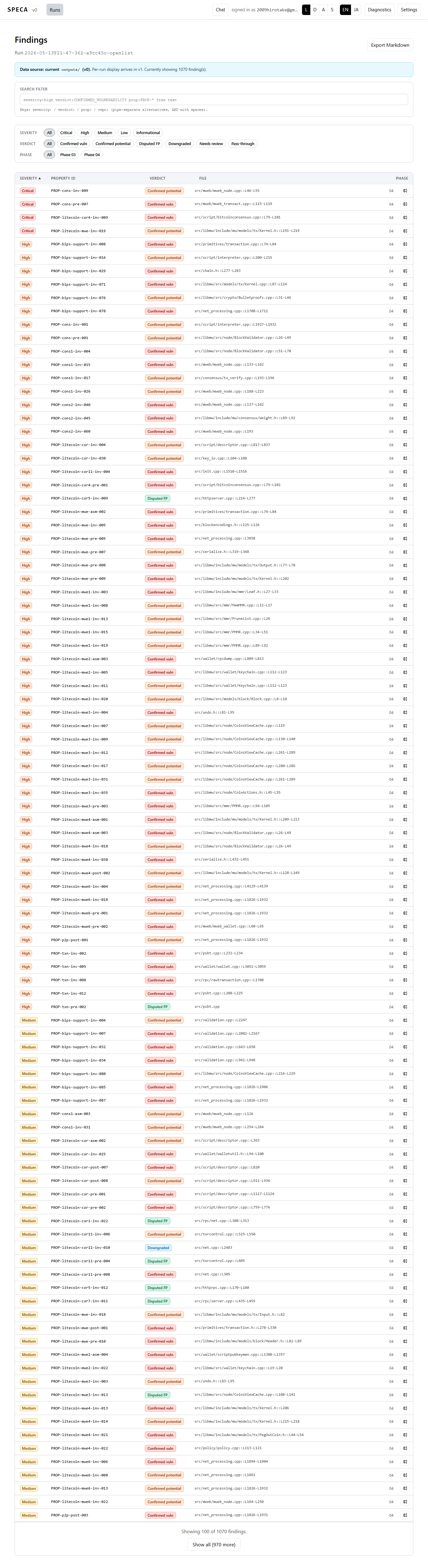
Findings — DSL filter + code highlighting
The findings list filters server-side by severity / verdict / phase chips and layers a richer client-side DSL on top (path globs, etc.). Markdown export is one click:
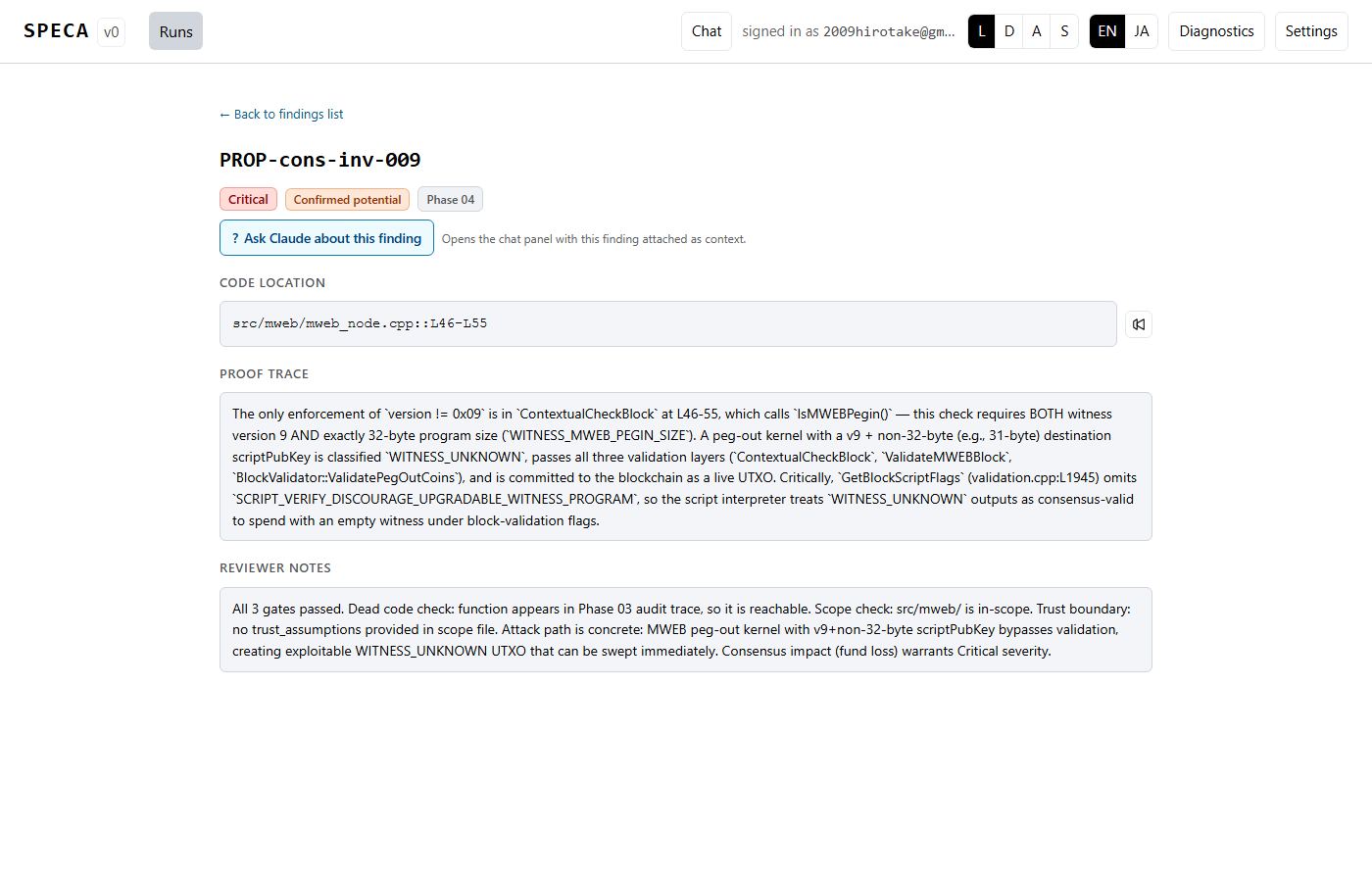
Clicking a row opens the detail page with the evidence_snippet
highlighted by Prism (Solidity / TS / JS / Python / Rust / Go / Java /
C / C++):
Chat panel — multi-runtime
Click Chat in the header (or press c) to open the right-rail
chat panel:
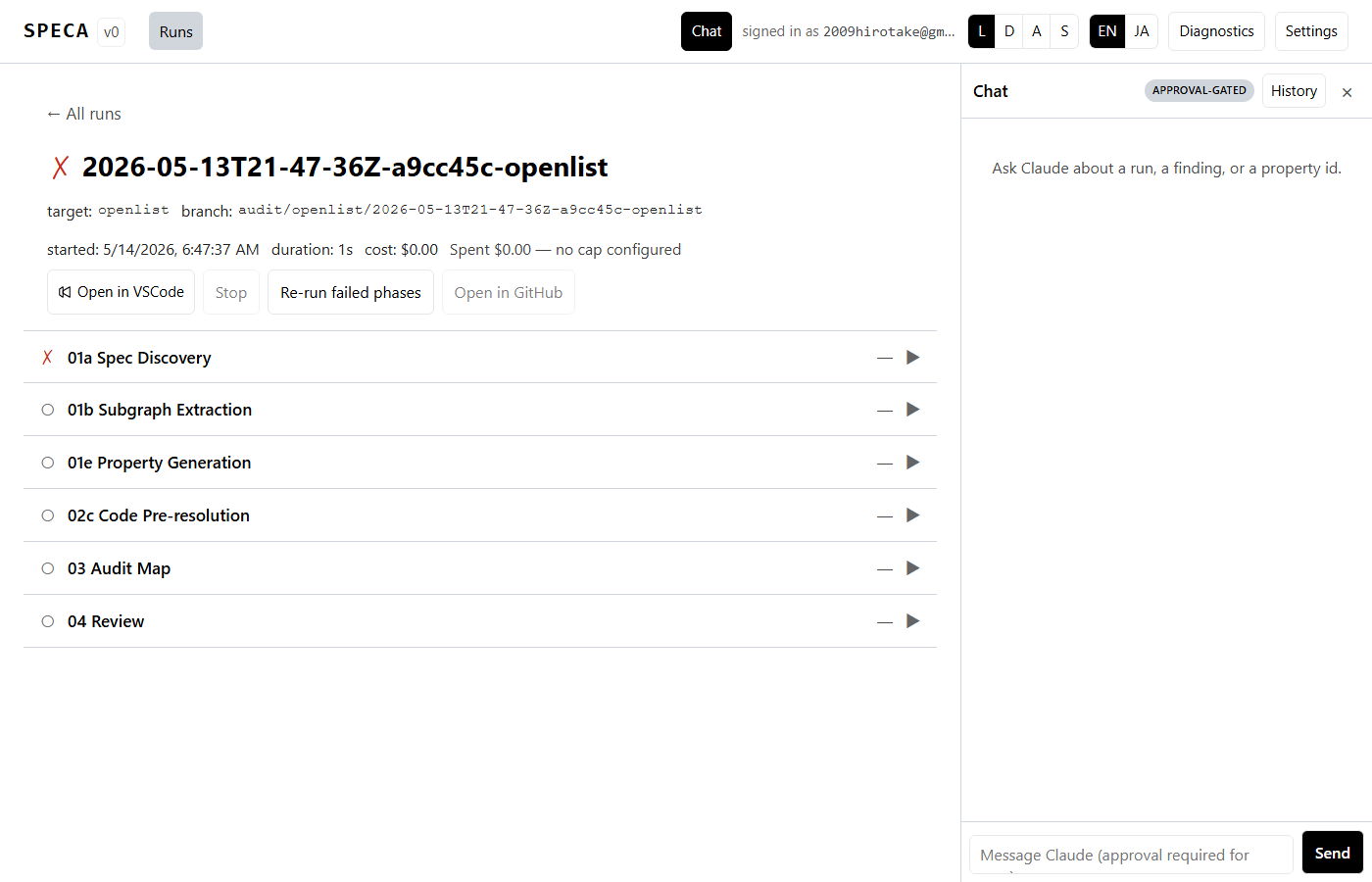
The backend that drives the conversation is chosen in Settings — five backends are available: Claude / Codex / Gemini / Ollama / Copilot. See Multi-runtime backends for the full story.
Settings — runtime / theme / language
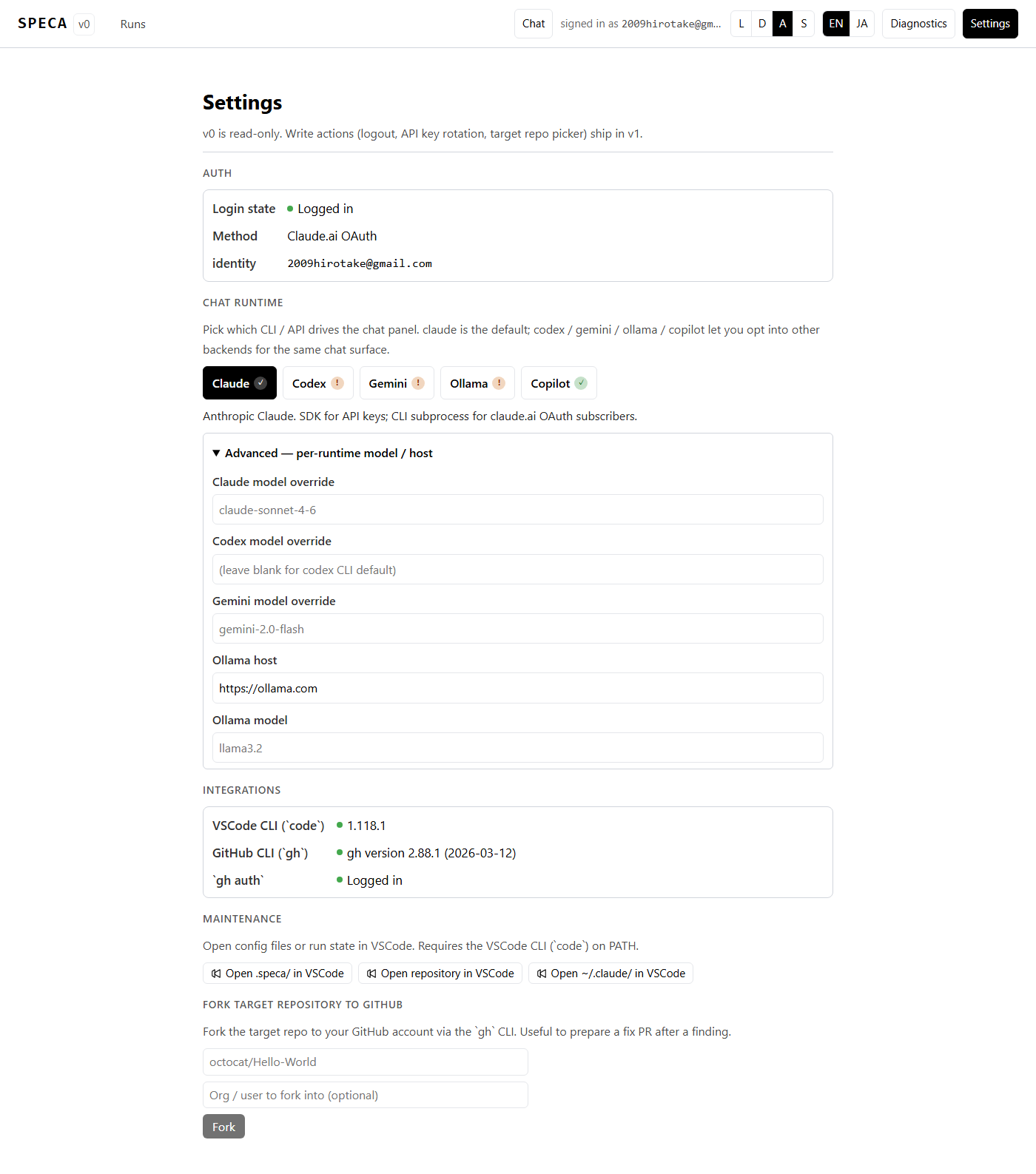
The Chat runtime section is a 5-way switch with availability
badges (✓ / !) so you can see at a glance which backend is ready
to go. Expand Advanced to override the model or Ollama host per
runtime.
Theme: light / dark / system + Solarized:
| Default | Solarized |
|---|---|
| 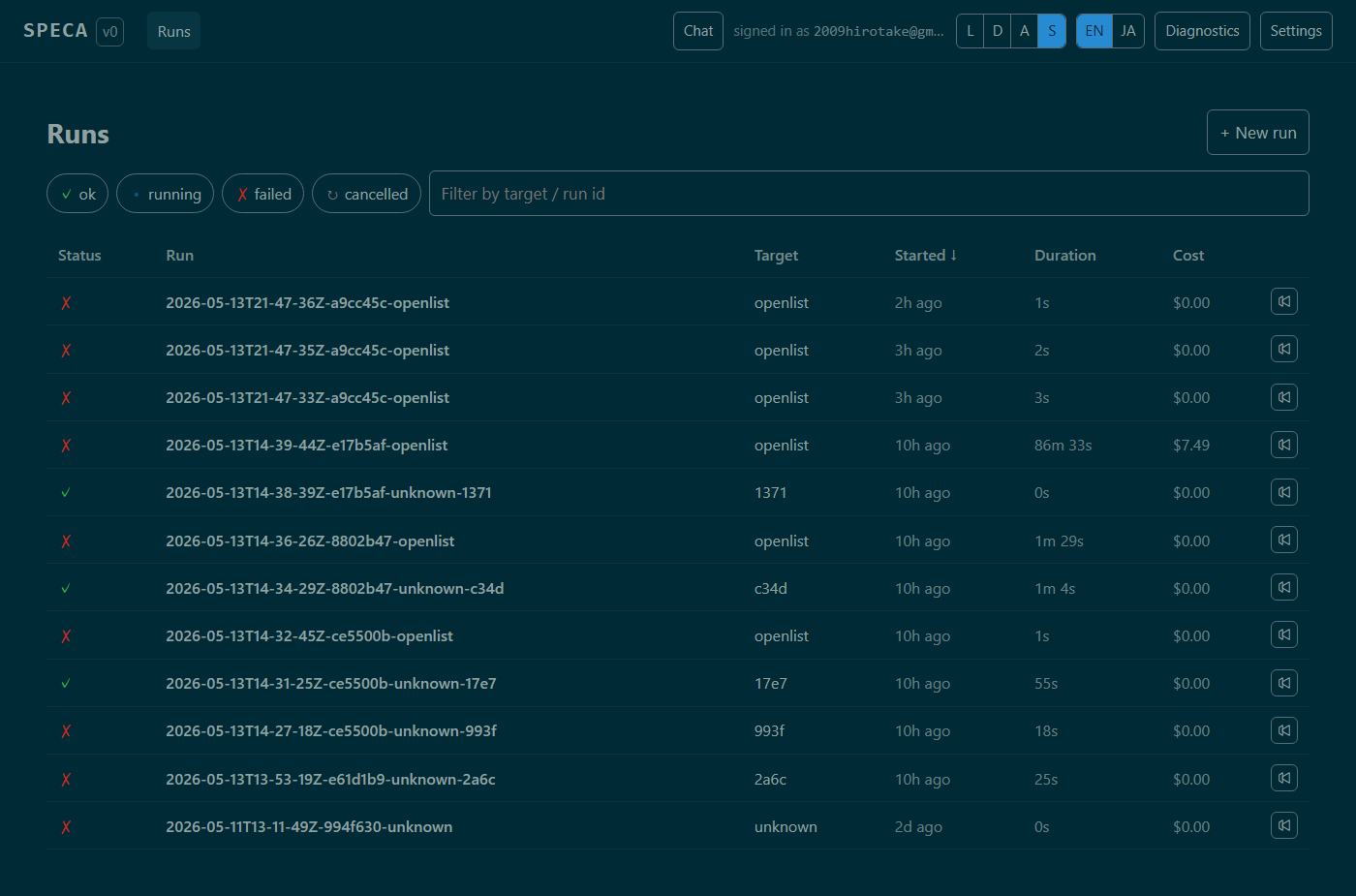 |
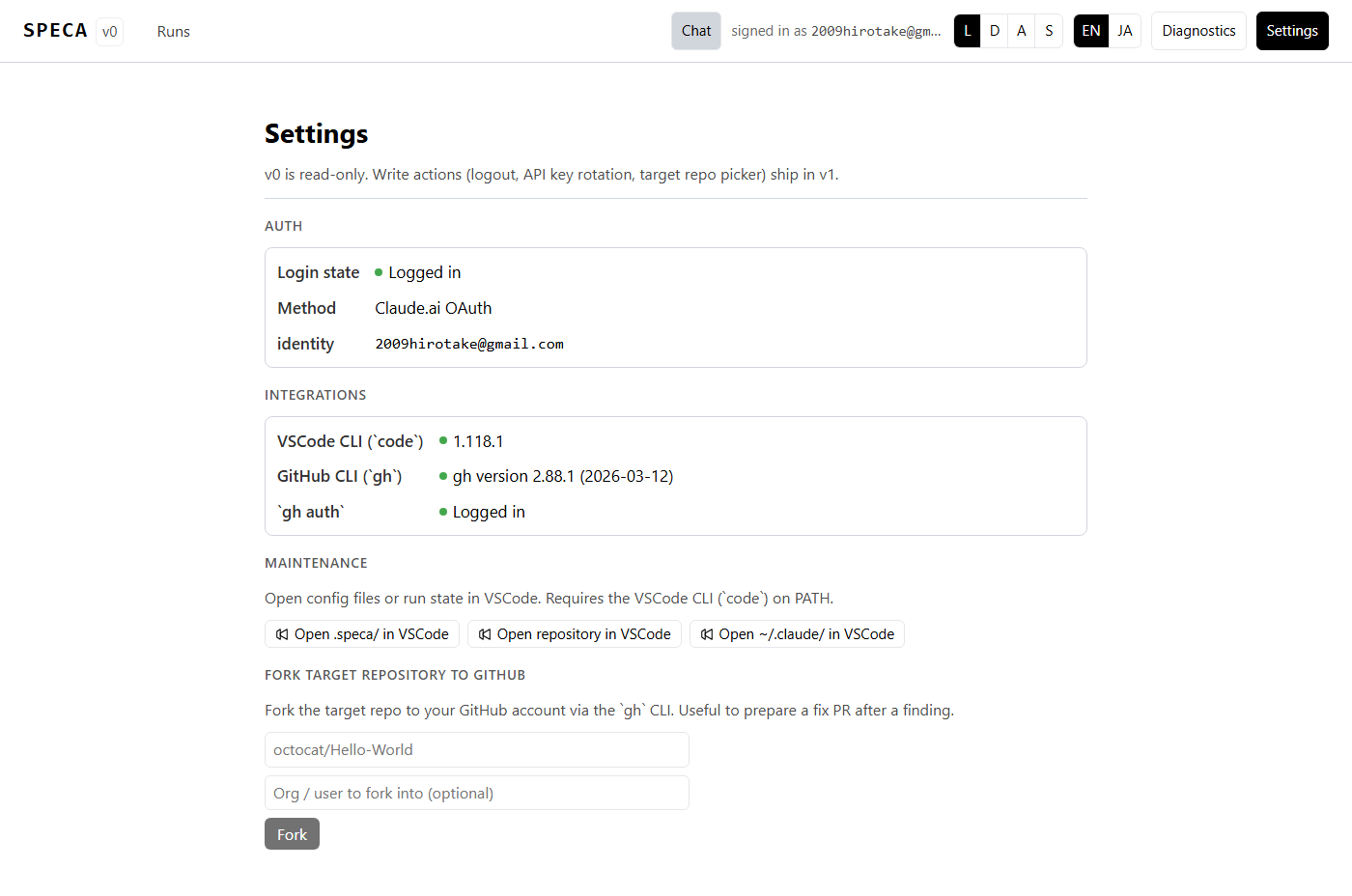
Toggle from the header L D A S buttons:
Keyboard shortcuts
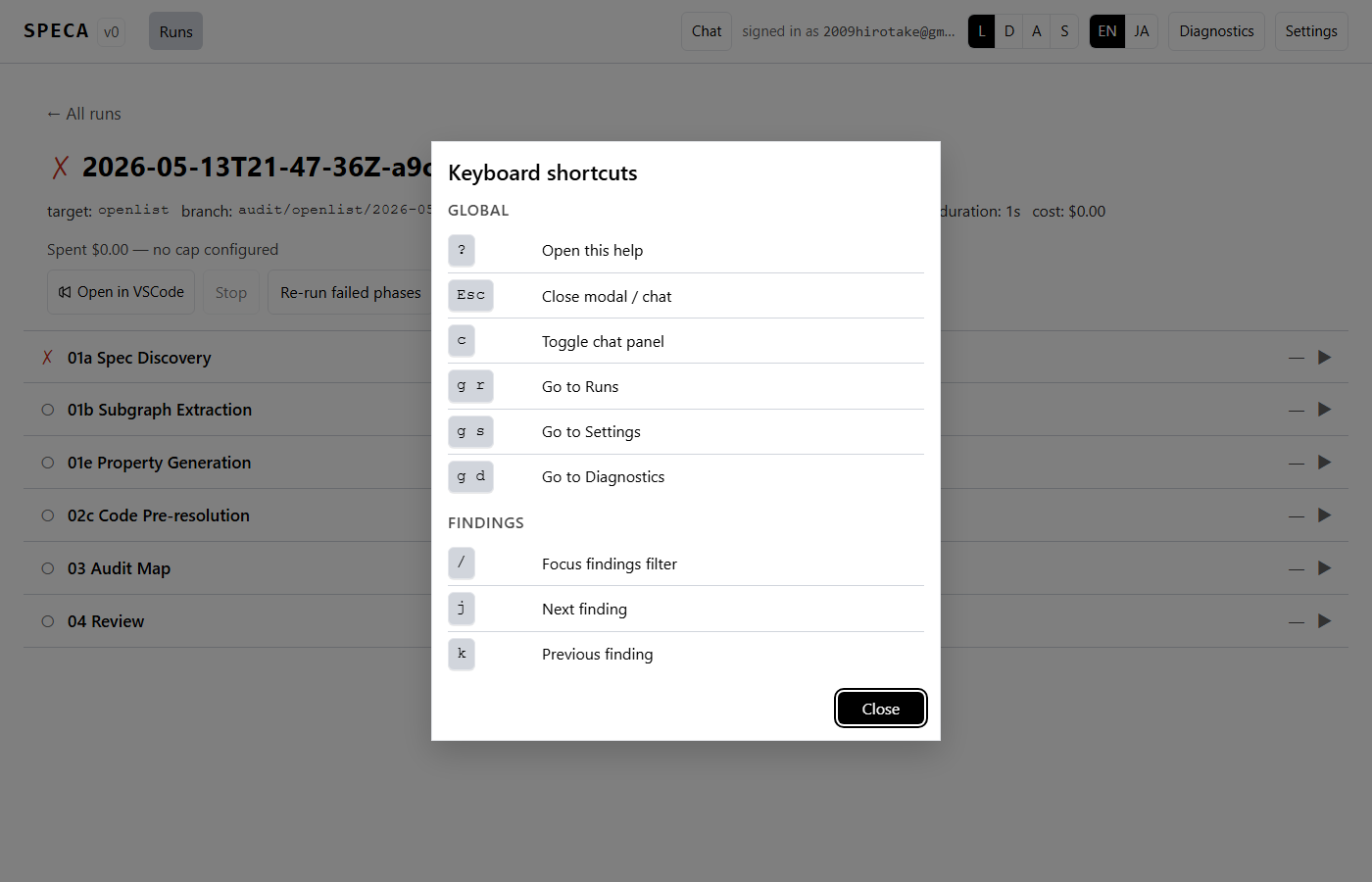
? always opens the cheat sheet:
| Key | Action |
|---|---|
? | Keyboard-shortcut help modal |
Esc | Close any open modal / chat panel |
c | Toggle chat panel |
g r / g s / g d | Navigate to Runs / Settings / Diagnostics |
/ | Focus findings filter |
j / k | Move to next / previous finding row |
Phase row focus + l / f | Expand log / force re-run that phase |
All shortcuts are IME-safe (suppressed during composition).
Architecture
- Backend — FastAPI + uvicorn (
web/server/). Runsscripts/run_phase.pyas a subprocess; never imports orchestrator Python code directly. - Frontend — React 19 + TypeScript + Vite (
web/frontend/). TanStack Query for REST + WebSocket, Zustand for UI state, i18next for EN/JA. - State —
.speca/runs/<run_id>/state.jsonfor run state,~/.speca/chat/<conversation_id>.jsonfor chat history,~/.speca/runtime.jsonfor runtime preferences. No secrets in any of these.